Samsung Washing Machine Error Codes: 4C, 4E, 5E, DC, UE and OE
On a Samsung washing machine, 4C, 4E and nF mean the washer is not filling, 5C and 5E mean it is not draining, DC means a door or lid is not closed, UE means the spin could not run because the load is uneven, and OE means the washer has detected too much water. Most codes have a simple check for you to try first, and none of them names the failed part.
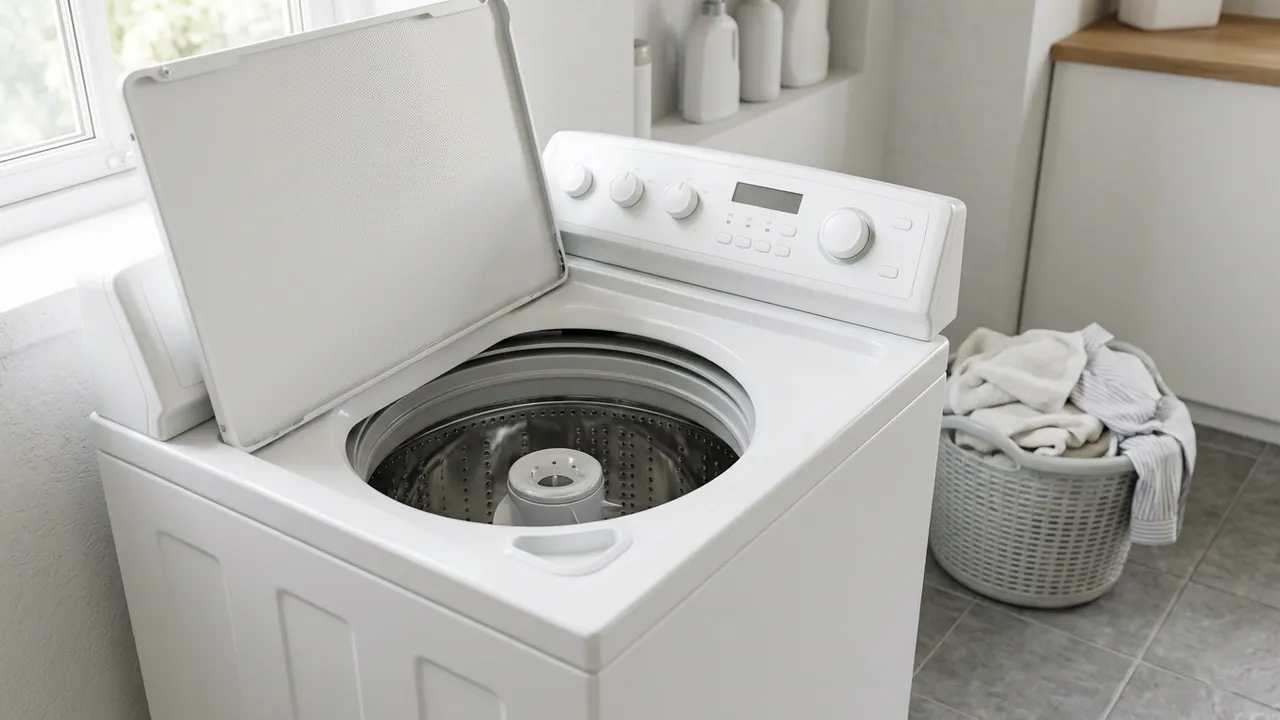
Samsung Australia says codes vary between models, and its own manuals show it. An older top loader displays 4E where a newer one displays 4C, and DC is a door code on one model and a lid code on another. Use the model number from the rating label and the code table in that manual.
Samsung does not publish failure rates, so the causes below follow a checking order, with easy owner checks first. It is not a ranking of what fails most.
Check for the recall first
If you have an older Samsung top loader, check the model number before you troubleshoot. Samsung's Australian recall lists six top loader models, SW80SPWIP/XSA, SW65V9WIP/XSA, WA85GWGIP/XSA, SW70SPWIP/XSA, WA85GWWIP/XSA and SW75V9WIP/XSA, because moisture can reach electrical connectors and cause a fire. Samsung's instruction is to stop using an affected machine. A recalled machine is not a candidate for clearing a code and carrying on. If yours is on the list, stop using it and follow the recall notice on Product Safety Australia, which also has the current list.
Quick reference
| Code | What it means | Owner check | When to book |
|---|---|---|---|
| 4C, 4E, nF | Not filling: water supply problem | Taps, inlet hose, inlet mesh filter | Persists with supply and hoses clear |
| 5C, 5E | Not draining, or draining too slowly | Drain hose, owner-accessible pump filter | Still will not drain after permitted checks |
| DC, DC1 | Door or lid not closed (varies by model) | Clear laundry from the catch, close normally | Persists with nothing in the way |
| UE, Ub | Spin problem, often an uneven load | Redistribute the load, check the machine is level | Returns with suitable loads on a level machine |
| OE, OC, E3, OF | Overflow detected | Stop, check hose installation and levelling | Overflow or any recurrence |
| 3C, 3E | Motor operation warning | Power off two to three minutes, restart once | Returns after the restart |
| HE, HC | Water temperature or heating warning (varies by model) | Check hot and cold hose connections | Persists, or the water is abnormally hot |
Sources: Samsung Australia's washing machine error codes, 5E guide, won't fill or drain guide and inlet mesh filter guide, plus the Samsung manuals for the WA90CG6745 top loader and the older WA70F5G4 and WA80F5G4.
Safe isolation before you touch anything
Samsung's 5E guide requires the washer to be switched off and unplugged before you work on it, and its inlet filter guide also requires the water tap to be closed. Switching off at the control panel is not unplugging. Let hot wash water cool before you open a drain filter. If water has reached the plug or socket, or you get a shock, stop, do not reach through the water, and call for help. Energy Safe Victoria says faulty electrical appliances should be repaired only by a qualified repair technician or a licensed electrician, not by the owner.
Not filling: 4C, 4E and nF
Samsung Australia groups 4C, 4E and nF as water supply problems. The code can also appear when the drain hose is installed so that water leaves during filling.
The causes, in checking order:
- A closed tap, an incompletely connected tap or an interrupted supply.
- A kinked inlet hose, hot and cold hoses connected the wrong way, or low supply pressure.
- A blocked inlet mesh filter. Samsung also names a blocked detergent drawer as an occasional cause of 4C.
- A drain hose installed incorrectly.
- An internal fault, once the above are ruled out.
Open the tap fully and look at the visible hose. A cold-only model has a cold connection only, so do not go looking for a missing hot hose.
To clean the inlet mesh, switch off, unplug and close the tap, hold a cloth under the hose end for the water that is left, remove and wash the mesh, refit it, reconnect the hose and reopen the tap. Do not run the washer without the mesh. The newer WA90CG6745 manual says its 4C warning can start an automatic drain of about three minutes and the Power button may not respond meanwhile, so wait for that to finish. If filling still fails, the water inlet or control system needs a technician. A faulty tap or supply pipe is a plumber's job.
Not draining: 5C and 5E
Water is leaving too slowly or not at all. The causes, in checking order:
- A kinked, blocked, frozen or badly positioned drain hose.
- A clogged pump filter, on models where the owner can reach one.
- A drain installation fault, or a blockage in the connected household drain.
- An internal drain fault needing service.
Unplug before you start. If your manual describes a pump filter, let the water cool, contain and drain the residual water by the model's procedure, then clean and refit the filter firmly and run a test cycle, stopping at once if it leaks. Samsung describes the routine pump filter step mainly for front loaders and says only selected top loaders have one, so a top loader's lint filter is not permission to dismantle its pump. If 5C or 5E persists, the pump and drain system need a technician, and a blocked building drain needs a plumber. See washing machine not draining or spinning for the same symptom across brands.
Door and lid: DC and DC1
The Australian code table says DC means the door is not firmly closed while the machine tries to run. The WA90CG6745 top loader uses dC and dC1 for its lid, and will not spin unless the lid is closed. Some newer front loaders show a plain Door is open message instead.
Pause the washer, wait for the lock to release, remove laundry caught in the catch and close the door or lid normally. Do not force a locked door. A front loader can stay locked while the water is hot: the WW85T554DAW-linked manual says the doors will not open above 50 C, which is normal and not a fault. Never tape, bridge or bypass a lock. A code that returns with nothing in the way is a lock or sensor fault for a technician.
Uneven spin: UE and Ub
Samsung's general guide describes UE as a spinning problem, and the WA90CG6745 manual ties Ub to an uneven load, noting that a single bathrobe or pair of jeans can give a poor final spin. Check, in order:
- The laundry has bunched or you are washing one heavy item.
- The washer is not standing firmly and level.
- A machine fault, if suitable loads still will not spin.
Pause, wait until the drum stops and the door or lid unlocks, then spread the load out. Do not tip or drag a water-filled washer to level it. If UE returns with a sensible load on a level machine, stop repeating high-speed attempts and book. If the machine also shakes or bangs, our guide to washing machine noise on spin covers what to look at next. Our guide to LG's UE code is a different brand with its own steps.
Overflow, leaks and temperature: OE, LC, HE and HC
Samsung Australia's overflow group is OE, OC, E3 and OF. The washer believes there is too much water, and Samsung says a sensor fault is possible. SE is not listed in that group, so if the display looks like SE, check whether it is 5E and do not assume overflow. Stop the machine, close the taps, isolate power from a safe dry position, and check the drain hose installation and levelling. Persistent overflow is a technician job.
LC codes warn of water where it should not be. Model manuals differ on drain hose position, so do not copy another model's hose arrangement. HE and HC appear in more than one Samsung category, covering wrongly connected hot and cold hoses and heating or sensor faults. Check the hose connections with the washer unplugged and the taps closed, and leave heater and sensor work to a technician.
3C and 3E are motor warnings. Samsung advises switching off for two to three minutes, restoring power and trying once. Do not force the drum or open covers. If the code returns, book.
Who does which job
You can handle the taps, hoses, load balance, door closing and any filter cleaning your manual describes. A pump, inlet valve, door lock, heater or board needs a qualified appliance technician. A faulty socket or fixed wiring is for a licensed electrician in NSW, and building water or drain faults are for a licensed plumber.
Booking a Samsung washer repair
We are an authorised Samsung repairer (Samsung page) and our washing machine repairs cover Wollongong and the Illawarra. Have the full model number, a photo of the code and what you have already checked ready. You can book a repair or call 02 4229 3777.